

Karthik – KARTHIK | DIGIWORKS

Author name: Karthik

content strategy

How to Create a Social Media Content Strategy for Your Business

Social media has become one of the most powerful ways for businesses to connect with potential customers, build brand awareness, showcase their products or services, and generate leads. However, simply posting on Instagram or Facebook every day doesn’t guarantee results. Many businesses post content without a clear plan. One day they share a promotional offer, the next day they post a random image, and then they may stop posting for several weeks. A social media content strategy helps you avoid this problem. With the right strategy, you can create consistent, valuable, and engaging content that supports your business goals. In this guide, we’ll explain how to create a social media content strategy for your business, even if you’re just getting started. What Is a Social Media Content Strategy? A social media content strategy is a structured plan that defines: What content your business will create Who you are creating it for Which platforms you will use How frequently you will post What goals you want to achieve How you will measure your results Instead of asking: “What should I post today?” you’ll have a clear answer based on your overall marketing goals. A good strategy connects your social media content with your larger business objectives. Why Does Your Business Need a Social Media Content Strategy? Posting consistently is important, but consistency without direction can waste time and resources. A content strategy can help your business: Build Brand Awareness Regular and recognizable content helps people become familiar with your business. Increase Engagement Useful and interesting content can encourage followers to like, comment, save, share, and interact with your brand. Generate Leads Strategic content can encourage potential customers to visit your website, send an enquiry, call your business, or fill out a form. Build Trust Educational content, customer testimonials, behind-the-scenes posts, and useful tips can demonstrate your expertise and credibility. Save Time Planning content in advance reduces the pressure of creating something new every day. Step 1: Define Your Social Media Goals Before creating content, determine what you want social media to achieve for your business. Your goals might include: Increase brand awareness Generate leads Increase website traffic Generate sales Promote products or services Build an online community Improve customer engagement Establish industry authority Try to make your goals measurable. For example: Instead of: “I want more followers.” Set a goal such as: “Increase relevant Instagram followers by 20% over the next three months.” Or: “Generate 30 qualified enquiries per month through social media.” Clear goals make it easier to evaluate your strategy. Step 2: Identify Your Target Audience Your content should be created for your ideal customers—not for everyone. Understand: Age Location Occupation Interests Problems Needs Buying behavior Budget Preferred social platforms For example, if you provide digital marketing services to small businesses, your audience might include: Local business owners Startups Entrepreneurs Shop owners Service providers Freelancers Small e-commerce businesses Understanding your audience helps you create content that addresses their real challenges. Step 3: Choose the Right Social Media Platforms You don’t need to be active on every social media platform. Choose platforms based on where your target customers spend their time and the type of content your business can consistently produce. Instagram Good for: Reels Images Carousels Stories Product showcases Visual branding Facebook Good for: Local businesses Community engagement Videos Offers Customer communication Paid advertising LinkedIn Good for: B2B businesses Professional services Industry insights Thought leadership Networking YouTube Good for: Tutorials Educational videos Product demonstrations Long-form content Expert content Don’t Choose Too Many Platforms It is usually better to manage two or three platforms effectively than to create poor-quality content across six different platforms. Step 4: Create Your Content Pillars Content pillars are the main categories or themes your business will regularly post about. They help you avoid repetitive content and make planning easier. For a digital marketing business, your content pillars could include: 1. Educational Content Teach your audience something useful. Examples: What is SEO? How Google Ads work Social media marketing tips Website optimization tips 2. Informational Content Share useful industry information. Examples: Digital marketing trends Platform updates Industry statistics Marketing news 3. Promotional Content Promote your products or services. Examples: Service packages Special offers New services Limited-time promotions 4. Engagement Content Encourage your audience to interact. Examples: Polls Questions Quizzes “This or That” posts Opinion posts 5. Social Proof Show why customers should trust your business. Examples: Testimonials Reviews Case studies Results Client success stories 6. Behind-the-Scenes Content Show the human side of your business. Examples: Team introductions Work processes Office activities Project preparation Day-in-the-life content Step 5: Use Different Content Formats Don’t publish the same type of post every day. Experiment with different formats such as: Reels Short videos Carousels Static images Stories Live videos Infographics Polls Testimonials Case studies Blog posts Different formats can attract different types of engagement. For example, a complex topic may work well as a carousel, while a quick marketing tip may work better as a short video. Step 6: Follow the 80/20 Content Principle A useful starting point is the 80/20 approach. Approximately: 80% → Educational, informative, entertaining, or valuable content 20% → Promotional content This doesn’t mean the ratio must always be exactly 80/20. The main idea is to avoid turning your social media account into a continuous sales advertisement. For example, instead of constantly saying: “Buy our service today!” you could provide useful information such as: “5 Reasons Your Website Isn’t Generating Leads.” At the end of the post, you can naturally introduce your service as a potential solution. Step 7: Create a Content Calendar A content calendar helps you organize your posts before publishing them. Your calendar can include: Date Content Type Topic Format Platform CTA Monday Educational SEO Tips Carousel Instagram Save this post Tuesday Informational Marketing Trend Reel Instagram/Facebook Follow for more Wednesday Promotional SEO Service Image Instagram/Facebook Contact us Thursday Engagement Marketing Quiz Story Instagram Vote now Friday Educational Google Ads Tips Reel Instagram/Facebook Share this Saturday Social Proof Client Result Carousel Instagram

Digital marketing
paid ads

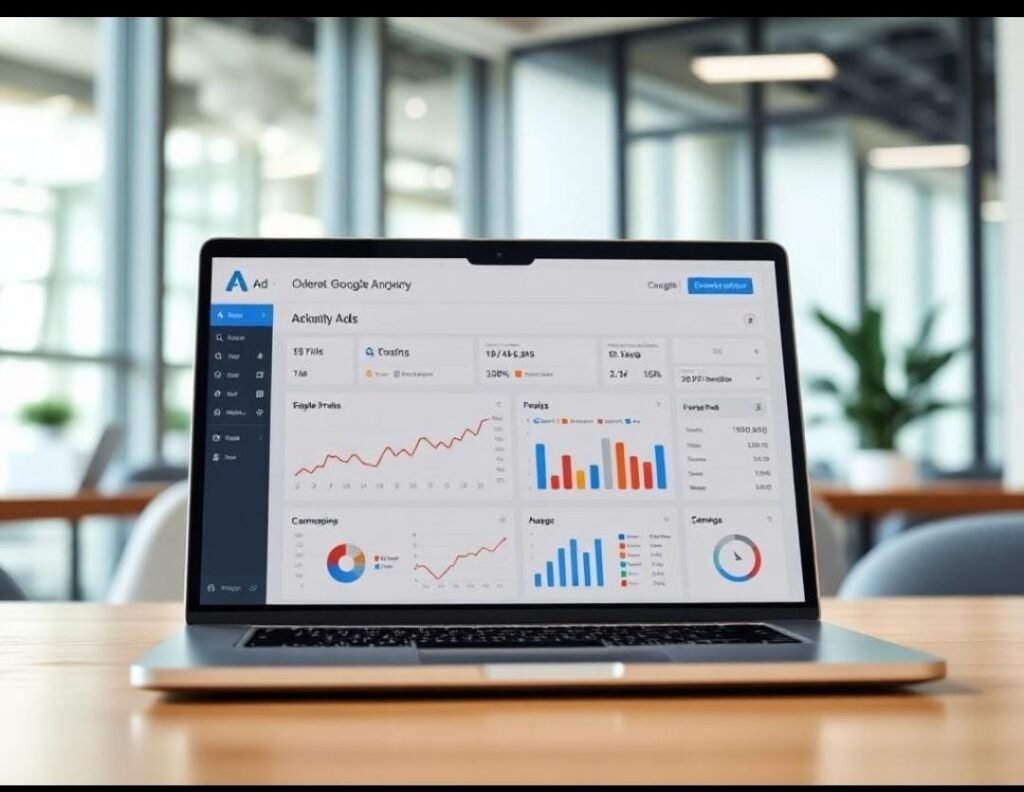
Google Ads vs Meta Ads: Which Advertising Platform Is Better for Your Business?

If you want to grow your business online, paid advertising can help you reach potential customers faster than relying only on organic marketing. Two of the most popular advertising platforms are Google Ads and Meta Ads. Both can help businesses generate leads, increase website traffic, promote products, and drive sales—but they work in very different ways. So, which one should your business choose? The answer depends on your business goals, target audience, budget, industry, and customer buying journey. In this guide, we’ll compare Google Ads vs Meta Ads, explain how each platform works, discuss their advantages and disadvantages, and help you decide which advertising platform may be right for your business. What Are Google Ads? Google Ads is Google’s online advertising platform. It allows businesses to display advertisements across Google’s search engine and other Google properties. One of the biggest advantages of Google Ads is that you can reach people who are already searching for products or services similar to what your business offers. For example, someone searching for: “digital marketing agency in Bangalore” may see an advertisement from a digital marketing company offering those services. Google Ads can include different campaign types, such as: Search Ads Display Ads Shopping Ads Video Ads App campaigns Performance Max campaigns For businesses focused on generating enquiries, Search Ads can be particularly useful because they can reach people with strong purchase or service intent. What Are Meta Ads? Meta Ads are paid advertisements displayed across Meta’s platforms, primarily Facebook and Instagram. Unlike Google Search Ads, Meta Ads generally don’t wait for users to search for a particular product or service. Instead, businesses can reach audiences based on factors such as: Interests Demographics Location Online behavior Engagement Previous interactions with the business For example, a clothing business could show Instagram advertisements to people interested in fashion, clothing, and related topics. Meta Ads can be particularly effective for building awareness, generating interest, showcasing products, and remarketing to potential customers. Google Ads vs Meta Ads: The Key Difference The biggest difference is user intent. Google Ads = Search Intent People often use Google when they already have a question, problem, need, or purchasing intention. For example: “Best SEO agency for small business” The person is actively looking for a solution. Meta Ads = Discovery & Interest People generally use Facebook and Instagram to consume content, interact with friends, watch videos, and discover products. An advertisement can introduce them to a product or service they weren’t actively searching for. In simple terms: Google Ads captures existing demand. Meta Ads helps create and stimulate demand. Google Ads vs Meta Ads: Comparison Feature Google Ads Meta Ads Main platforms Google Search & Google properties Facebook & Instagram Primary strength Search intent Audience targeting & discovery Best for People actively searching Reaching potential customers Targeting Keywords, location, audience signals, etc. Interests, demographics, behavior, audiences Visual content Important but varies by campaign Extremely important Lead generation Excellent for high-intent searches Excellent with lead forms and campaigns E-commerce Strong Strong Brand awareness Good Excellent Local services Excellent Good Remarketing Yes Yes Content style Search, display, video, shopping, etc. Images, videos, reels, carousels, etc. When Should You Choose Google Ads? Google Ads can be a strong option when customers are actively searching for your product or service. 1. Your Customers Search for Your Services If people frequently search for what you offer, Google Ads can put your business in front of them at the right moment. For example: “Web design company near me” “SEO services Bangalore” “Google Ads agency” “AC repair near me” “Best digital marketing agency” These searches indicate that the user may already have a specific need. 2. You Want High-Intent Leads Google Search Ads can be particularly useful for service-based businesses. For example, a person searching for: “digital marketing services for small business” may be closer to contacting an agency than someone who simply sees a digital marketing advertisement while scrolling through Instagram. 3. You Serve a Local Area Local businesses can use Google Ads to target customers within specific locations. For example, businesses can target searches related to their city, service area, or nearby locations. When Should You Choose Meta Ads? Meta Ads can be a great choice when visual content and audience discovery are important to your business. 1. You Sell Visual Products Businesses selling products such as: Clothing Jewellery Cosmetics Fashion accessories Home décor Food products can benefit from visually engaging Facebook and Instagram advertisements. 2. You Want to Build Brand Awareness If your goal is to introduce your brand to new audiences, Meta Ads can help you reach people based on relevant audience characteristics. 3. You Want to Generate Leads Meta offers lead-generation advertising options that allow businesses to collect customer information directly through forms. This can be useful for: Coaching businesses Real estate Education Fitness studios Service businesses Consultations Events 4. You Have Strong Creative Content Meta advertising is heavily influenced by the quality of your creative assets. High-quality: Images Videos Reels Carousels Testimonials Product demonstrations can help your advertisements stand out in crowded social feeds. Google Ads vs Meta Ads: Which Is More Cost-Effective? There is no universal answer. Advertising costs depend on factors such as: Industry Competition Audience Location Campaign objective Keywords Ad quality Landing page experience Conversion rate Budget Seasonality A platform that produces cheap clicks isn’t necessarily the most profitable. For example, Meta Ads might generate inexpensive traffic, but if those visitors rarely become customers, the campaign may not provide a strong return. Similarly, Google Ads may have a higher cost per click for competitive keywords, but those clicks could produce highly valuable leads. The important metric isn’t simply: “How much does a click cost?” Instead, consider: “How much does it cost to acquire a customer?” Which Platform Is Better for Lead Generation? Both platforms can generate leads, but they approach lead generation differently. Google Ads Google can capture people who are already searching for a solution. Example: “Best digital marketing agency for small businesses” The user already has a

Digital marketing
Google ranking tips

10 Google Ranking Tips to Improve Your Website’s Search Visibility

Getting your website to appear on the first page of Google can make a significant difference to your business. Higher search visibility can bring more website visitors, generate leads, increase brand awareness, and help you reach potential customers who are actively searching for your products or services. However, ranking on Google doesn’t happen overnight. Search engines consider many factors when deciding which pages should appear for a particular search query. The good news is that you can improve your website’s chances of ranking by following proven SEO strategies and consistently creating useful content. In this guide, we’ll explore 10 Google ranking tips that can help improve your website’s visibility and attract more organic traffic. What Is Google Ranking? Google ranking refers to the position of a webpage in Google’s search results for a particular search query. For example, if someone searches for: “Digital marketing services in Bangalore” Google displays a list of relevant webpages. A website appearing near the top of the results has a higher ranking than websites appearing further down. The higher your website ranks for relevant searches, the more opportunities you have to attract organic visitors. 1. Conduct Proper Keyword Research Keyword research is one of the foundations of SEO. Before creating content, identify the words and phrases your potential customers are actually searching for. For example, a digital marketing business might target keywords such as: Digital marketing services Digital marketing agency SEO services Google Ads services Social media marketing Digital marketing services in Bangalore SEO company for small businesses Don’t focus only on keywords with high search volume. Consider search intent, relevance, competition, and the needs of your target audience. Tip: Instead of targeting only broad keywords like “SEO,” consider more specific keywords such as “SEO services for small businesses.” Longer and more specific keywords can help you target users with clearer search intent. 2. Create High-Quality, Helpful Content Google wants to provide users with useful and relevant information. Instead of writing content purely to insert keywords, focus on answering the questions your audience is asking. For example, instead of publishing a short article titled: “SEO Services” you could create a comprehensive guide such as: “SEO for Small Businesses: A Step-by-Step Guide to Getting More Customers from Google.” Your content should: Answer the reader’s question Provide practical information Be easy to understand Be well organized Include relevant examples Avoid unnecessary repetition Be genuinely useful Quality content can help establish your website as a valuable resource in your industry. 3. Optimize Your Page Titles Your page title tells both users and search engines what your webpage is about. A good title should clearly describe the page and naturally include the primary keyword when appropriate. Weak title: Home | Welcome to Our Website Better title: Digital Marketing Services for Small Businesses | Karthik Digital Media A strong title can also encourage users to click your page when it appears in search results. Try to make your titles: Relevant Specific Descriptive Natural Appealing to searchers Avoid stuffing multiple keywords into the title. 4. Write Useful Meta Descriptions A meta description is a short summary that can appear below your page title in search results. While meta descriptions aren’t generally a direct Google ranking factor, a clear and compelling description can help users understand what your page offers and may encourage more clicks. For example: “Discover practical SEO strategies to improve your Google rankings, attract more organic traffic, and generate leads for your small business.” Make your descriptions relevant to the actual page and avoid misleading users. 5. Use Proper Heading Structure Organize your content using headings such as: H1 H2 H3 Your main page topic should generally have a clear H1 heading. For example: H1: 10 Google Ranking Tips for Small Businesses Then use H2 headings for major sections: H2: Conduct Keyword Research H2: Create Helpful Content H2: Improve Website Speed Subheadings make your content easier for both users and search engines to understand. 6. Improve Your Website’s Loading Speed Website performance matters for user experience. A slow website can frustrate visitors and may cause them to leave before your content loads. To improve your website performance: Compress large images Use modern image formats where appropriate Minimize unnecessary scripts Use browser caching Choose reliable hosting Remove unnecessary plugins Optimize your website’s code Use a content delivery network when appropriate You can use Google’s PageSpeed Insights to evaluate your website’s performance and identify potential improvements. Remember that website speed is only one part of SEO. Don’t sacrifice useful content or functionality simply to chase a perfect speed score. 7. Make Your Website Mobile-Friendly A large number of people use smartphones to browse the internet and search for businesses. Your website should work properly across: Smartphones Tablets Laptops Desktop computers A mobile-friendly website should have: Easy-to-read text Responsive layouts Simple navigation Properly sized buttons Fast-loading pages Forms that work correctly Test your website on different screen sizes and make sure visitors can easily find the information they need. 8. Optimize Your Images Images can improve the visual quality of your website, but poorly optimized images can slow down your pages. Before uploading images: Compress the file size Use appropriate dimensions Choose a suitable image format Add descriptive alt text where appropriate Avoid unnecessarily large images For example, instead of using a generic file name such as: IMG12345.jpg use a descriptive name such as: digital-marketing-strategy-small-business.jpg Alt text should accurately describe meaningful images and should not be used as a place to stuff keywords. 9. Build Internal Links Internal links connect one page on your website to another page on the same website. They help visitors discover related information and can help search engines understand the structure and relationships between your pages. For example, if you’re writing a blog about Google ranking tips, you could naturally link to another article about: Digital Marketing for Small Businesses You could also link relevant blog posts to your service pages, such as: SEO Services Google Ads Services Social Media Marketing Use descriptive anchor text that

Digital marketing
grow your online business

Digital Marketing for Small Businesses: A Complete Guide to Growing Your Business Online

In today’s digital-first world, having a great product or service is no longer enough. Customers are searching online before making purchasing decisions, comparing businesses, reading reviews, and checking social media pages. This is where digital marketing for small businesses becomes essential. Whether you own a local shop, service business, startup, restaurant, clothing store, coaching institute, or professional service, digital marketing can help you reach the right audience, generate leads, build brand awareness, and increase sales. In this guide, we’ll explore what digital marketing is, why it matters for small businesses, the most effective strategies, and how you can create a successful digital marketing plan. What Is Digital Marketing? Digital marketing is the process of promoting a business, product, or service through online channels. Instead of relying only on traditional advertising such as newspapers, flyers, banners, or television, businesses can connect with potential customers through platforms such as: Google Search Websites Social media Google Business Profile Email marketing Online advertising Content marketing Search engine optimization (SEO) The biggest advantage is that digital marketing allows businesses to target specific audiences and measure their marketing performance. Why Is Digital Marketing Important for Small Businesses? Small businesses often compete with larger companies that have bigger advertising budgets. Digital marketing provides an opportunity to compete more effectively by reaching a highly targeted audience. Here are some of the major benefits. 1. Reach More Potential Customers Your customers are spending a significant amount of time online. They use search engines and social media to discover businesses, research products, and find services. With the right digital marketing strategy, your business can appear in front of potential customers when they are actively looking for what you offer. 2. Build Brand Awareness A strong online presence helps customers recognize and remember your brand. Regularly publishing useful content, maintaining an active social media presence, and appearing in Google search results can increase your visibility and establish your business as a credible brand. 3. Generate More Leads Digital marketing can help you attract people who are genuinely interested in your products or services. For example, a Google Ads campaign can target people searching for specific services, while social media advertising can target users based on their interests, location, and behavior. 4. Reach Local Customers For businesses that serve a specific location, local digital marketing can be extremely valuable. Optimizing your Google Business Profile and website for local searches can help people discover your business when searching for services near them. For example, a customer might search for: “Digital marketing agency near me” “Best clothing store in Bangalore” “Web designer in Bangalore” Appearing prominently for relevant local searches can bring highly valuable traffic and enquiries. 5. Measure Your Results One of the biggest advantages of digital marketing is measurable performance. You can track metrics such as: Website visitors Leads generated Phone calls Form submissions Ad clicks Conversion rates Social media engagement Advertising costs This information helps you understand what’s working and where your marketing budget should be invested. The Most Effective Digital Marketing Strategies for Small Businesses A successful digital marketing strategy doesn’t require you to use every platform available. Instead, focus on the channels that your target customers actually use. 1. Build a Professional Website Your website is often the foundation of your online presence. A professional website should clearly communicate: What your business offers Who you serve Why customers should choose you Your products or services Contact information Customer reviews or testimonials Clear calls to action Your website should also be mobile-friendly, fast-loading, easy to navigate, and optimized for search engines. A well-designed website can turn visitors into enquiries and customers. 2. Invest in SEO Search Engine Optimization (SEO) helps your website appear higher in search engine results for relevant keywords. For example, if you provide digital marketing services in Bangalore, you may want your website to appear for searches such as: Digital marketing services in Bangalore SEO services in Bangalore Google Ads services Digital marketing agency for small businesses SEO usually requires consistent effort rather than producing instant results, but it can become a valuable long-term source of organic traffic. Important SEO activities include: Keyword research On-page SEO Technical SEO Local SEO Content creation Internal linking Website optimization 3. Use Google Business Profile For local businesses, Google Business Profile can be an important part of your online marketing strategy. A well-optimized profile can help customers find important information such as: Business location Phone number Website Opening hours Customer reviews Photos Products or services Encourage satisfied customers to leave genuine reviews and keep your business information accurate and up to date. 4. Run Google Ads SEO can take time. If you want to reach potential customers more quickly, Google Ads can be an effective option. Google Ads allows businesses to advertise when people search for relevant products and services. For example, a local web design company could target searches related to: “Website development company near me” “Web design services Bangalore” “Affordable website design” The key is to target relevant keywords and create landing pages that are designed to convert visitors into leads. 5. Use Social Media Marketing Social media platforms can help small businesses build relationships with potential customers. Depending on your audience, you may consider platforms such as: Instagram Facebook LinkedIn YouTube Instead of only promoting your products, create a mixture of content such as: Educational posts Tips and tutorials Behind-the-scenes content Customer testimonials Product demonstrations Short videos Industry updates Offers and promotions The goal should be to provide value while gradually building trust with your audience. 6. Create Valuable Content Content marketing can help establish your business as a knowledgeable and trustworthy brand. You can create: Blog posts Videos Reels Infographics Guides Case studies FAQs Social media posts For example, a fitness studio could publish an article about “5 Simple Exercises for Beginners” rather than constantly posting advertisements for membership packages. Helpful content can attract people who are interested in your industry and introduce them to your business. 7. Use Online Advertising Strategically Paid advertising can help

Scroll to Top